Stupid Browser Tricks And Tips
| PROBLEM: The font is too small for me to read! ANSWER: Change the way your browser renders the text. Select View, then select Text Size, Click on a larger size. 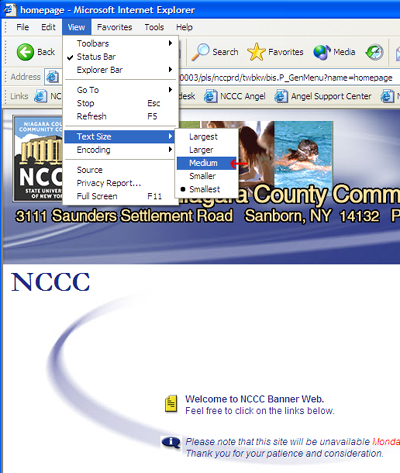 |
| |
| PROBLEM: When I print the page the information on the right gets cut off! ANSWER: Change the orientation of the paper in your printer. First select page setup from the File Menu, a window titled Page Set will open.  In this window you select Landscape. Then click on the OK button.  Next select Print Preview from the File Menu. 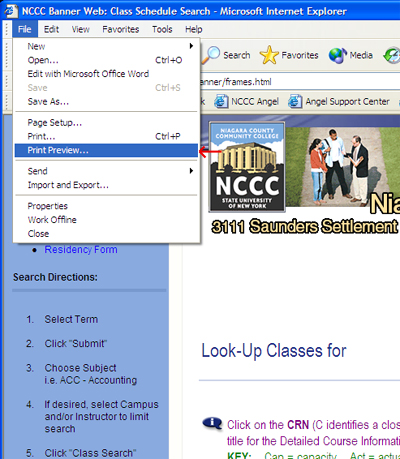 This will open the Print Preview window. Here you will select the part of a frames page you wish to print. note: the number of pages that will be printed, and click on the print button. You may then close this window.  |